On this page
- Before you start: what you actually need
- Step 1: Get the humidifier onto your network and into an app
- Step 2: Link it to your voice assistant
- Step 3: Add a sensor that triggers your routines
- Step 4: Build the routine that holds your target
- Step 5: Verify it for a few days before you trust it
- Common automation mistakes I still see
- Putting it to work this weekend
The first smart humidifier I set up did exactly what I told it to, which was the problem. I asked it to run every evening at 7, and it did, right through a rainy week when the house was already sitting at 55 percent. By Friday the bathroom mirror was fogged and the window trim felt damp.
That is the trap with a plain schedule. It runs the clock, not the room.
Real smart humidifier automation means the unit watches the actual humidity and adjusts itself, with your phone and voice assistant as the easy front door. Here is how to set that up so it holds a target and mostly disappears from your day.
Before you start: what you actually need
You do not need a whole smart home for this. You need four things, and you may already own three of them.
- A humidifier with real app control (Wi-Fi, and ideally a built-in humidistat you can set by percent).
- A hub or assistant: Amazon Alexa, Google Home, or Apple Home. Most people use whatever their speaker already runs.
- A humidity sensor. The humidifier’s own reading is fine to start, but a separate one is better, and I will explain why.
- Solid Wi-Fi in the room. A weak signal is the number one reason these setups drop offline.
A quick note on picking the humidifier itself. If you are still shopping, the Humidifier Buying Guide: What Actually Matters covers tank size, output, and noise, which all still apply here. Automation is a layer on top of a good machine, not a rescue for a bad one.
Not every “smart” humidifier can hold a humidity target. Some only offer app on/off and a timer. Check the product page for the words “humidistat” or “auto mode with target RH” before you buy, or your automation will be a glorified light switch.
Step 1: Get the humidifier onto your network and into an app
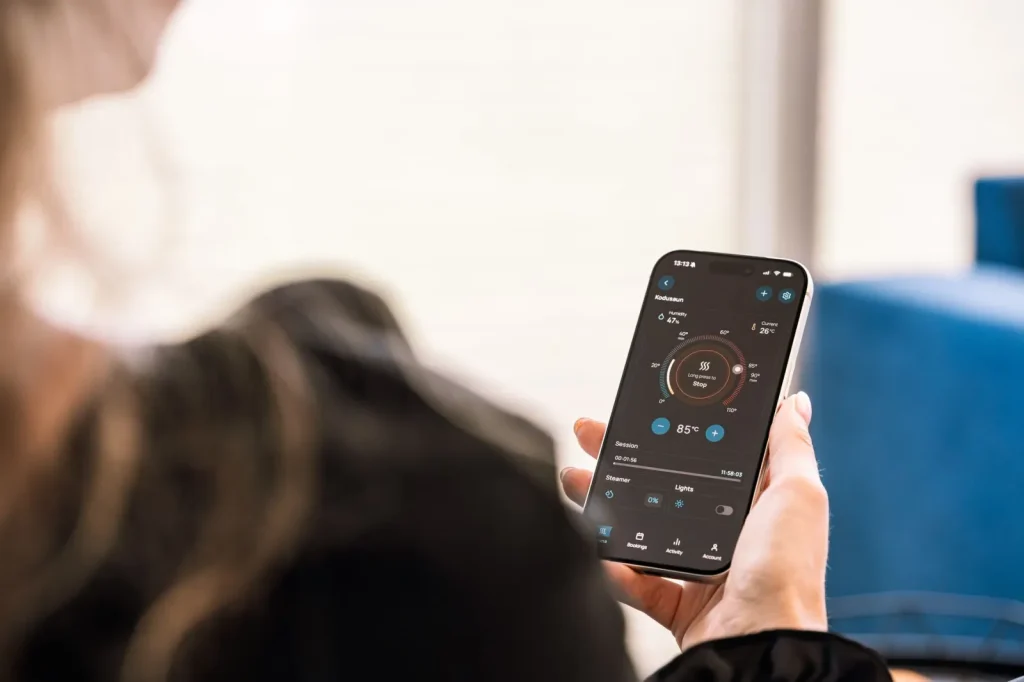
Start by pairing the unit through its own manufacturer app first, even if you plan to run everything through Alexa or Google later. The native app is where firmware updates and the target-humidity setting usually live.
Put the humidifier on your 2.4 GHz Wi-Fi band, not 5 GHz. Most of these devices only speak 2.4 GHz, and mixing them up during setup causes about half the failed pairings I have watched people fight through.
Once it is connected, set the on-device target to your goal. For most homes that is 40 to 50 percent relative humidity, which the EPA indoor air quality pages line up with for comfort and for keeping mold and dust mites in check.
Step 2: Link it to your voice assistant
Now connect the humidifier’s account to Alexa, Google Home, or Apple Home. This is usually a matter of opening the assistant app, choosing “add device,” and picking the humidifier brand from the list of skills or services.
After linking, give it a name you will actually say out loud. “Bedroom humidifier” beats the default “VH-7200-A.” You want to be able to say “set the bedroom humidifier to 45 percent” without thinking.
Test the voice commands the same day you link. Say the on, off, and set-percent commands once each. If the assistant can turn it on but cannot set a target by percent, you will need to lean on routines instead of voice for the humidity control.
Step 3: Add a sensor that triggers your routines

This is the step people skip, and it is the one that makes automation feel smart instead of dumb.
The humidistat inside a tabletop humidifier reads the air right next to a mist cloud. That air is always more humid than the rest of the room, so the unit thinks the job is done while the far corner is still dry.
A humidifier that trusts only its own nose will always shut off too early. Give it a second opinion from across the room.
A cheap standalone humidity sensor placed 6 to 8 feet away, at about chair height, fixes this. Aqara, Govee, and SwitchBot all make ones in the 15 to 30 dollar range that report into the major assistant platforms. You point your routine at that sensor’s reading instead of the humidifier’s own.
Step 4: Build the routine that holds your target
Here is the logic you are after, in plain terms. When the room sensor drops below your low mark, turn the humidifier on. When it climbs above your high mark, turn it off.
Use a band, not a single number. If you tell it to hold exactly 45 percent, it will click on and off constantly, which is loud and wears out the unit. A band gives it room to breathe.
| Routine trigger | Setting | Action |
|---|---|---|
| Sensor humidity below | 40 percent | Turn humidifier on (auto mode) |
| Sensor humidity above | 50 percent | Turn humidifier off |
| Time is after | 11:00 pm | Drop fan to low or quiet mode |
| Water level low | Device alert | Send phone notification |
In Alexa this lives under Routines. In Google Home it is Automations. In Apple Home you build it as an Automation tied to the sensor accessory. The names differ, the shape is identical: a trigger, a condition, an action.
A layered nighttime routine
My favorite setup stacks two rules. One holds the humidity band all day. A second one, active only from 11 pm to 6 am, forces the quiet or low-fan mode so the unit never roars while you sleep. You still hold humidity overnight, just gently.
Step 5: Verify it for a few days before you trust it
Do not walk away yet. Put a second, dumb hygrometer in the room, the 12 dollar kind from a hardware store, and check it against what your app claims each morning for three or four days.
You are looking for two things: the numbers roughly agree, and the humidifier is actually cycling on and off rather than running flat out. If the readings drift far apart, your sensor placement is off or one device needs calibrating.
If your automated room sits inside your target band 90 percent of the time over a week, the setup is working. Chasing a perfectly flat line is not worth the fuss, and the room will not feel any different.
Common automation mistakes I still see
A few patterns come up again and again when someone tells me their smart humidifier “does not work.”
Triggering off the humidifier’s own sensor. Covered above, but it is the top offender. Trigger off the separate room sensor.
Setting the band too tight. A 2 percent window makes the unit short-cycle. Give it at least a 8 to 10 point spread.
Ignoring the season. The target that feels great in January can leave windows dripping in a humid shoulder season. If you are fighting damp instead of dry, that is a different tool, and the Dehumidifier Buying Guide for Damp Rooms is the better read.
Forgetting the water tank. The smartest routine cannot refill an empty tank. Add that low-water phone alert so the automation tells you when it needs a hand.
Putting it to work this weekend
Set aside 30 minutes. Pair the humidifier, name it, link it to your assistant, drop one 20 dollar sensor across the room, and build a single band routine from 40 to 50 percent. That alone gets you most of the benefit.
Then let it run and watch your backup hygrometer for a week. Once the room holds steady on its own, you can add the nighttime quiet rule and the low-water alert. If you later scale up to a furnace-mounted unit, the same target-band thinking carries over, and the Whole House Humidifier Buying Guide picks up from there. The goal never changes: set it once, and let the room manage itself.
Frequently asked questions
Can any smart humidifier hold a set humidity automatically?
No. Some smart humidifiers only offer app on/off and a timer, which cannot hold a target. Look for a built-in humidistat and an auto mode you can set by percent relative humidity. If the product page mentions target RH or humidistat control, you can automate it properly. Without that, you are limited to schedules and voice on/off, which do not react to the actual room.
Do I really need a separate humidity sensor?
You can start with the humidifier's built-in reading, but a separate sensor placed across the room gives far more accurate automation. The unit's own sensor sits next to the mist and reads high, so it shuts off while the rest of the room is still dry. A 15 to 30 dollar sensor from Aqara, Govee, or SwitchBot fixes this and pays for itself in comfort.
What humidity target should I automate to?
For most homes, aim for a band of 40 to 50 percent relative humidity. That range feels comfortable and keeps mold, dust mites, and static in check. Use a band rather than a single number so the humidifier is not clicking on and off constantly. In very cold weather you may drop the top of the band to avoid condensation on cold windows.
Why does my humidifier keep turning on and off rapidly?
That is short-cycling, usually caused by too tight a humidity band. If you set it to hold an exact number or a 2 percent window, it reacts to tiny changes and toggles constantly. Widen the band to at least 8 to 10 points, for example on below 40 and off above 50. The room feels the same and the unit runs far more calmly.
Which voice assistant works best for humidifier routines?
Alexa, Google Home, and Apple Home all handle this well, and the better choice is usually whichever speaker you already own. The routine logic is the same across all three: a trigger, a condition, and an action. What matters more is whether your specific humidifier brand offers a skill or integration for that platform, so check the humidifier's compatibility list before choosing.

Dharm Solanki
Dharm Solanki spends a lot of time thinking about the air inside people's homes, usually when no one else is. He writes about humidity, ventilation, and dehumidifiers, along with the small fixes that turn a stuffy or damp room into one that feels comfortable again. He would rather explain why a recommendation works than just point at a product, so his guides tend to answer the question you were about to ask next. And if something looks great on paper but struggles in a normal house, he says so.